
Dell computer manual, introduces how to set up the computer.
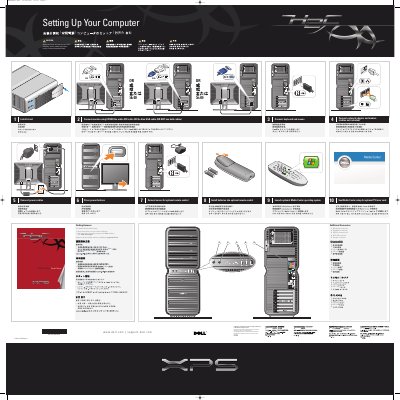
This two-page Dell document is a setup poster titled "Setting Up Your Computer." It walks through installing the stand, connecting a monitor with either the white DVI cable or the blue VGA cable (not both), connecting a keyboard and mouse, connecting a network adapter and modem, connecting power cables, and pressing the power buttons. It also covers installing batteries in an optional remote control, connecting a sensor for the optional remote control, and launching an optional Media Center operating system.
A section on additional connectors lists the microphone, headphone, USB 2.0, IEEE 1394, and speaker connectors. The document notes that setup instructions are in the Owner's Manual, that help and support are available from the Start menu, and that safety instructions are in the Product Information Guide.
| Microphone connector | 1 |
|---|---|
| Headphone connector | 1 |
| USB 2.0 connectors | 2 |
| IEEE 1394 connector | 1 |
| Speaker connector | 1 |
Use either the white DVI cable or the blue VGA cable, but do not use both cables.
The document refers you to the safety instructions in your Product Information Guide.
Support and educational tools are available at support.dell.com.