
Dell Inspiron 5000 Series Desktop Quick Start Guide

Dell Inspiron 5000 Series Desktop Quick Start Guide
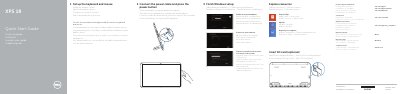

Dell Inspiron 5000 Series Desktop Quick Start Guide - cover page
Brand
DELL
Category
Desktops
Document type
Quick Start Guide
Language
MUL
Pages
2
File format
PDF
File size
204 KB
Published
25 November, 2023
Updated
25 November, 2023
Model
XPS 18
MD5 checksum
68C65FCD002E5239944EE2CDD99F1BEC

About this manual

This quick start guide helps set up the Dell XPS 18 computer. It covers connecting the keyboard and mouse, power, Windows setup, security and updates, network, and registration.

It also identifies the computer's features, basic and optional powered stands, and lists support, manuals, and regulatory information.

What's inside

  • Set up the keyboard and mouse
  • Connect the power cable and press the power button
  • Finish Windows setup
  • Enable security and updates
  • Connect to your network
  • Features
  • Basic stand
  • Powered stand — optional

Specifications

USB 3.0 ports2

Frequently asked questions

When does the docking-status light on the powered stand turn on?

It turns on when the computer is correctly seated in the powered stand.

Where can I find product support and manuals for the XPS 18?

The guide points to dell.com/support and dell.com/support/manuals.

Download PDF (204 KB)

More DELL Manuals


View all DELL manuals →