
Dell Precision 7920 Rack Workstation Quick Start Guide.
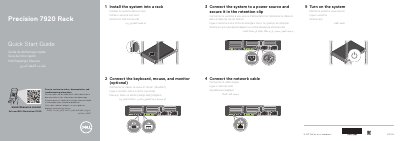
The guide provides setup steps for the Dell Precision 7920 Rack workstation, including installing the system into a rack, connecting the keyboard, mouse, and monitor, connecting to a power source and network cable, and turning on the system.
It also lists front-panel features such as the system status indicator, hard drive bays, USB ports, VGA ports, power button, PCIe expansion card slots, network ports, and power supplies.
| Front USB 3.0 ports | 2 |
|---|---|
| Front USB 2.0 ports | 2 |
| Front network ports | 4 |
| Front PCIe expansion card slots | 8 |
| Front power supplies | 2 |
| iDRAC network connector | iDRAC9 Enterprise |
Turn on the system as the final setup step described in the guide.
The front panel includes USB 3.0 and USB 2.0 ports, VGA ports, network ports, PCIe expansion card slots, and power supplies.
Visit Dell.com/support and Dell.com/support/manuals for product support and manuals.