
The Dell Latitude 15 3000 Series Notebook Quick Start Guide
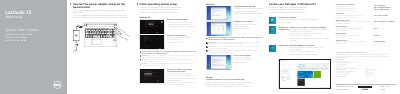
The Dell Latitude 15 3000 Series Quick Start Guide provides essential instructions for setting up the notebook, including connecting the power adapter, completing operating system setup, and connecting to a network.
It also includes a detailed map of the device's hardware features, identifying ports such as USB 3.0, HDMI, VGA, and the network connector, as well as system indicators and the battery release latch.
| Input Voltage | 100 V AC–240 V AC |
|---|---|
| Input Current (Max) | 1.7 A |
| Input Frequency | 50 Hz–60 Hz |
| Output Voltage | 19.5 V DC |
| Output Current | 3.42 A / 4.62 A |
| Computer Model | Latitude 15-3560 |
Enter the password for the wireless network access when prompted.
Connect the power adapter and press the power button.
A fingerprint reader is optional.
It has two USB 3.0 connectors.