
The Dell Vostro 15 7570 laptop quick start guide.
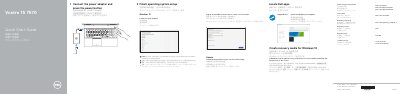
This two-page quick start guide for the Dell Vostro 15-7570 laptop explains connecting the power adapter, turning on the computer, and finishing operating system setup for Windows 10 or Ubuntu. It also covers connecting to a network, signing in with a Microsoft account or creating a local account, locating Dell apps, and creating Windows 10 recovery media.
The guide lists laptop features such as camera, microphones, power button/fingerprint reader, ports, touchpad, SD card reader, network connector, power connector, and service tag label. It also shows shortcut keys and points to Dell.com/support/manuals for the Owner’s Manual.
| Computer model | Vostro 15-7570 |
|---|---|
| Regulatory model | P71F |
| Regulatory type | P71F001 |
| USB Type-C port | Thunderbolt3 |
| USB port | USB 3.1 Gen 1 |
| Video ports | VGA and HDMI |
| Card reader | SD card reader |
Connect the power adapter and press the power button.
Enter the wireless network password when prompted.
The guide points to Dell.com/support/manuals.
Download Dell Power Manager (DPM 3.0) from Dell.com/support before connecting the docking station.