
The Dell Precision Mobile Workstation 7000 Series Quick Start Guide provides information on how to set up and use your Dell Precision Mobile Workstation 7000 Series laptop.
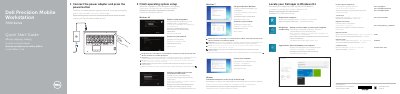
This Quick Start Guide is for the Dell Precision 7710 mobile workstation. It explains how to connect the power adapter, press the power button, finish operating system setup, enable security and updates, connect to a network, and sign in to a Microsoft account or create a local account.
The guide also lists product features such as USB 3.0 connectors, HDMI, Mini DisplayPort, and optional camera, fingerprint reader, and smartcard readers. It includes regulatory information and directs users to dell.com/support for manuals and support.
| Camera | optional |
|---|---|
| Fingerprint reader | optional |
| USB-C connector | optional |
Connect the power adapter and press the power button.
The computer model is Dell Precision -7710.
Enter the password for the wireless network access when prompted.