
The Dell Latitude 15 5000 Series E5570 Notebook Quick Start Guide.
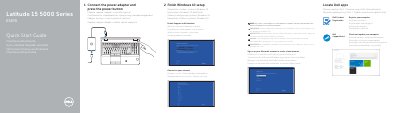
This two-page Dell quick start guide covers the first-time setup of the Latitude 15 5000 Series E5570 notebook, identified in the document as computer model Latitude 15-E5570. It walks through connecting the power adapter and pressing the power button, locating Dell apps such as Dell Product Registration and Dell SupportAssist, finishing the Windows 10 setup, enabling Support and Protection, connecting to a network, and signing in with a Microsoft account or creating a local account.
The second page lists the notebook's features and connectors with numbered callouts, from network, VGA, HDMI and USB 3.0 connectors to the camera, microphones, fingerprint reader, smart card readers and battery, hard-drive and power status lights. It also gives Dell support and contact web addresses, regulatory and safety information, and the regulatory model P48F and regulatory type P48F001. The booklet text is printed in English, Czech, Hungarian, Polish and Slovak.
| Computer model | Latitude 15-E5570 |
|---|---|
| Regulatory model | P48F |
| Regulatory type | P48F001 |
| Fingerprint reader | Optional |
| Thunderbolt 3 connector | Optional |
| SIM-card slot | Optional |
| Contactless smart card reader | Optional |
| USB 3.0 connector with PowerShare | Provided |
Select the network and, when prompted, enter the password for the wireless network access.
Dell lists support at Dell.com/support and manuals at Dell.com/support/manuals.
Use Dell Product Registration, listed among the Dell apps, to register your computer.
It is available online at Dell.com/regulatory_compliance.