
Dell Latitude 14 7000 Series Notebook Quick Start Guide
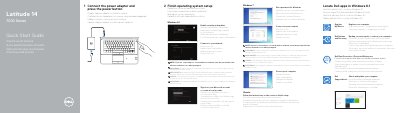
This quick start guide covers initial setup for the Dell Latitude 14 7000 Series notebook (Latitude 14-7470/E7470). It describes connecting the power adapter, pressing the power button, locating Dell apps, and finishing operating system setup for Windows 8.1, Windows 7, and Ubuntu.
The guide also lists the notebook's features and ports, including USB 3.0 connectors, HDMI, Mini DisplayPort, a network connector, card readers, and status lights, and provides links for product support, manuals, and regulatory information.
| Computer model | Latitude 14-7470/E7470 |
|---|---|
| Regulatory model | P61G |
| Regulatory type | P61G001 |
| USB 3.0 connectors | 2 |
| USB 3.0 connector with PowerShare | 1 |
Connect the power adapter and press the power button.
The guide covers setup for Windows 8.1, Windows 7, and Ubuntu.
Enter the password for wireless network access when prompted.
Support and manuals are available at Dell.com/support and Dell.com/support/manuals.