
Dell DBQ2BIBCO702 USB-C to Dual USB-A Quick Start Guide

The Dell USB-C to Dual USB-A Quick Start Guide provides instructions on how to connect the Dell USB-C to Dual USB-A to your computer and use it.
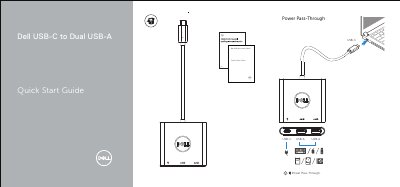

Dell DBQ2BIBCO702 USB-C to Dual USB-A Quick Start Guide - cover page
Brand
DELL
Category
Adapter
Document type
Quick Start Guide
Language
English
Pages
2
File format
PDF
File size
1.2 MB
Published
25 November, 2023
Updated
25 November, 2023
MD5 checksum
8E123043952BE308145D7A7E39EE7A74

About this manual

This Quick Start Guide covers the Dell USB-C to Dual USB-A adapter, model DBQ2BIBCO702. It identifies the USB-C and dual USB-A connection, power pass-through, and USB 3.1 Gen 2 data rates.

The guide also lists Dell support, contact, and regulatory compliance resources.

What's inside

  • Power Pass-Through
  • USB-C
  • USB-A
  • Quick Start Guide
  • Regulatory Information

Specifications

ModelDBQ2BIBCO702
USB-C power15 W
USB-C power7.5 W
USB-A data rateUSB 3.1 Gen 2, 10 Gbps

Frequently asked questions

What ports does the Dell USB-C to Dual USB-A adapter provide?

It provides one USB-C port and two USB-A ports.

Does the adapter support power pass-through?

Yes, the guide lists Power Pass-Through as a feature.

What USB data rate is listed for the USB-A ports?

The USB-A ports are listed as USB 3.1 Gen 2, 10 Gbps.

Download PDF (1.2 MB)

More DELL Manuals


View all DELL manuals →