
Dell Display Manager is a Windows application used to manage one or more monitors.
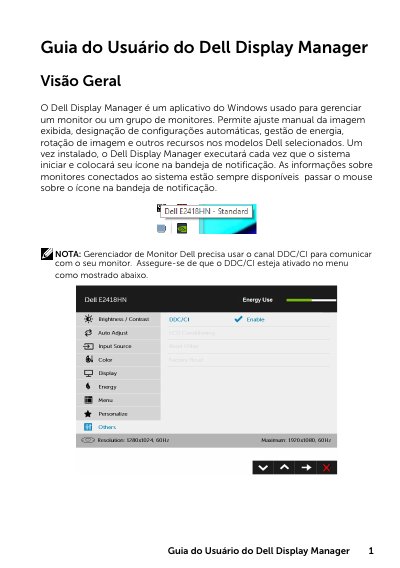
The Dell Display Manager User Guide explains how to use the Dell Display Manager Windows application to manage one monitor or a group of monitors on selected Dell models. It covers manual image adjustment, automatic settings, power management, image rotation, and other features. The application starts with Windows and places an icon in the notification tray, where information about connected monitors is available by hovering over the icon. DDC/CI must be enabled on the monitor for the application to communicate with it.
The guide describes the Quick Settings dialog for brightness, contrast, preset modes, and screen resolution, and the advanced interface for Basic and Automatic Mode settings. It explains assigning preset modes to applications, managing multiple video inputs with Input Manager, using PowerNap energy conservation options, and troubleshooting when DDM cannot detect or communicate with a supported Dell monitor. This manual is written in Portuguese.
| Platform | Windows |
|---|---|
| Monitor communication | DDC/CI |
| Supported monitors | Selected Dell models |
| Supported monitor brand | Dell only |
| Unsupported Dell monitors | Models prior to 2013 and D series |
| Power conservation feature | PowerNap |
It is a Windows application used to manage one monitor or a group of monitors on selected Dell models.
DDC/CI must be enabled in the monitor menu.
No, DDM only works with Dell-brand monitors and does not support monitors from other manufacturers.
It lists all video input ports available on the monitor.