
Dell Wyse 1010 Zero Client Quick Start Guide

The Dell Wyse Zero Client Wyse 1010 Quick Start Guide provides information on how to install and use the Dell Wyse Zero Client Wyse 1010.
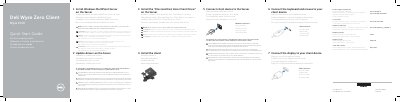

Dell Wyse 1010 Zero Client Quick Start Guide - cover page
Brand
DELL
Category
Other Computer Accessories
Document type
Quick Start Guide
Language
English
Pages
2
File format
PDF
File size
754 KB
Published
25 November, 2023
Updated
25 November, 2023
MD5 checksum
51D8FFA9F9D40F8A0733D0E95FFC0BD7

About this manual

The Dell Wyse 1010 is a zero client device designed for use with Windows MultiPoint Server. This guide provides instructions for physical installation, including stand and VESA mounting, and connecting peripherals such as monitors, keyboards, and mice.

Setup involves preparing the server by installing Windows MultiPoint Server and the specific 10xx (and Exx) Zero Client Driver. The document also details the device's hardware features and port layout.

What's inside

  • Install the stand
  • Connect the display to your client device
  • Connect the keyboard and mouse to your client device
  • Connect client device to the Server
  • Install Windows MultiPoint Server on the Server
  • Update drivers on the Server
  • Install the “10xx (and Exx) Zero Client Driver” on the Server
  • Features
  • VESA mounting
  • Configure your client device on Windows MultiPoint Server

Specifications

Power Input+5V DC
Network Port10/100/1000 Base-T
USB Ports4x USB 2.0
Video OutputVGA

Frequently asked questions

Where can I find the driver software for the Wyse 1010?

Driver software is available at www.dell.com/wyse/downloads.

How do I know when the client device is ready to use?

The device is ready for use once the activity light goes off.

Download PDF (754 KB)

More DELL Manuals


View all DELL manuals →