
The Dell Latitude 7280 Quick Start Guide introduces the features and characteristics of the product.
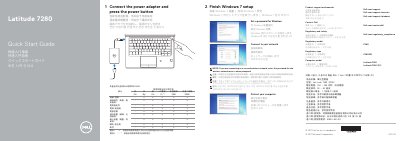
The Dell Latitude 7280 Quick Start Guide provides basic instructions for setting up the laptop, including connecting power, completing Windows 7 setup, and connecting to a network.
It also includes a detailed map of the device's hardware features, identifying ports such as USB 3.0, HDMI, and the optional Thunderbolt 3 port.
| Rated Voltage | 100 - 240 V (AC) |
|---|---|
| Rated Frequency | 50 - 60 Hz |
| Rated Input Current | 1.7A / 2.5A |
| Regulatory Model | P28S |
Enter the password for the wireless network access when prompted.
The rated input voltage is 100 - 240 volts (AC).
The regulatory model is P28S.
Connect the power adapter and press the power button.