
Dell Vostro 3267/3268 Quick Start Guide
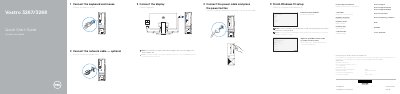
This Dell Vostro 3267/3268 Quick Start Guide explains how to set up the computer by connecting the keyboard, mouse, optional network cable, display, and power cable, then completing Windows 10 setup.
The guide also describes creating Windows recovery media, finding and registering Dell apps, using Dell SupportAssist, and lists front-panel features such as USB ports, video ports, audio ports, and the network port.
| Regulatory model | D13S |
|---|---|
| Regulatory type | D13S002 |
| Computer model | Vostro 3267/3268 |
| Input voltage | 100 V AC–240 V AC |
| Input current (max) | 3 A |
| Input frequency | 50 Hz–60 Hz |
Connect the display to the discrete graphics card connector.
In Windows search, type Recovery, click Create a recovery media, and follow the on-screen instructions.
Visit Dell.com/support or Dell.com/support/manuals.
The maximum input current is 3 A.