
Dell PowerVault 124T Autoloader IPv6 Phase 1 Support Addendum

The Dell PowerVault 124T autoloader now supports Internet Protocol Version 6 (IPv6 Phase 1).
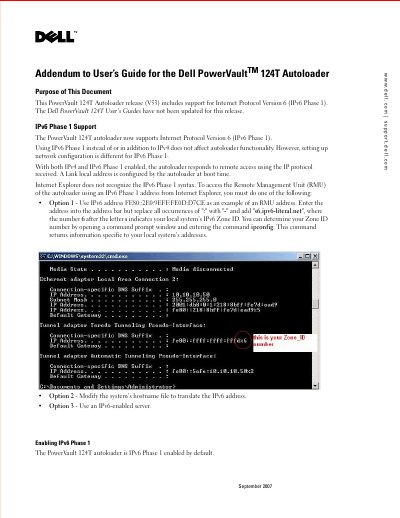

Dell PowerVault 124T Autoloader IPv6 Phase 1 Support Addendum - cover page
Brand
DELL
Category
Storage devices
Document type
User Manual
Language
English
Pages
4
File format
PDF
File size
180 KB
Published
25 November, 2023
Updated
25 November, 2023
Model
124T
MD5 checksum
00D50B6B9C3E01884D77E7D19443953A

About this manual

This document serves as an addendum to the User's Guide for the Dell PowerVault 124T Autoloader, specifically addressing support for Internet Protocol Version 6 (IPv6 Phase 1). It explains that while the autoloader's functionality remains unaffected by using IPv6 Phase 1 instead of or in addition to IPv4, the network configuration setup differs. The device is enabled for IPv6 Phase 1 by default.

What's inside

  • Purpose of This Document
  • IPv6 Phase 1 Support
  • Enabling IPv6 Phase 1
  • Configuring IPv6 Phase 1
  • IP Address Requirements and Conventions
  • Viewing IPv6 Addresses
  • PV124T RMU Access Methods Matrix
  • Trouble connecting to services

Frequently asked questions

Does enabling IPv6 Phase 1 affect autoloader functionality?

No, using IPv6 Phase 1 instead of or in addition to IPv4 does not affect autoloader functionality.

Is the PowerVault 124T Autoloader IPv6 Phase 1 enabled by default?

Yes, the PowerVault 124T autoloader is IPv6 Phase 1 enabled by default.

How can I access the Remote Management Unit (RMU) using an IPv6 Phase 1 address in Internet Explorer?

You must replace all occurrences of ':' with '-' and add 's6.ipv6-literal.net' (where 6 is your local system's IPv6 Zone ID) to the address bar.

Download PDF (180 KB)

More DELL Manuals


View all DELL manuals →