
Dell Latitude 15 3000 Series Quick Start Guide

Dell Latitude 15 3000 Series Quick Start Guide
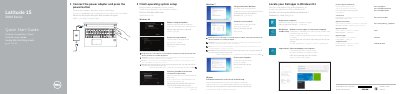

Dell Latitude 15 3000 Series Quick Start Guide - cover page
Brand
DELL
Category
Laptops
Document type
Quick Start Guide
Language
English
Pages
2
File format
PDF
File size
1.2 MB
Published
25 November, 2023
Updated
25 November, 2023
MD5 checksum
83D39B92023CA9CFF79A3E82C233C97B

About this manual

This document serves as a multilingual Quick Start Guide for the Dell Latitude 15 3000 Series. It outlines the initial steps required to set up the computer, including connecting the power adapter, pressing the power button, and completing the operating system setup. The guide also covers enabling security updates, connecting to a network, and locating Dell applications within Windows 8.1.

What's inside

  • Connect the power adapter
  • Finish operating system setup
  • Enable security and updates
  • Connect to your network
  • Locate your Dell apps
  • Features and connectors

Frequently asked questions

What is the first step to start using the Dell Latitude 15 3000 Series?

Connect the power adapter and press the power button.

What should you do if connecting to a secured wireless network?

Enter the password for the wireless network access when prompted.

What is the regulatory model of this computer?

The regulatory model is P50F.

What is the computer model listed in the document?

The computer model is Latitude 15-3570.

Download PDF (1.2 MB)

More DELL Manuals


View all DELL manuals →