
Dell™ W4201C/W5001C 42" & 50" Plasma TV Setup Guide
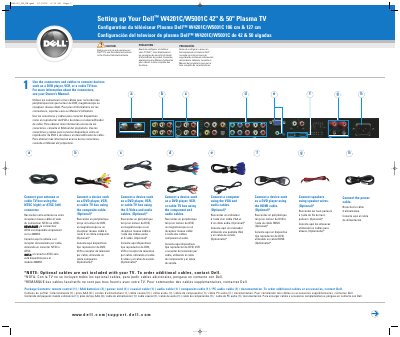
This guide provides setup instructions for the Dell W4201C/W5001C 42 and 50 inch plasma TV. It describes connecting power, antennas, cable boxes, DVD players, VCRs, computers, and speakers using composite, HDMI, S-Video, component, VGA, NTSC, and ATSC connectors.
The box contains a remote control, AAA batteries, a power cord, a coaxial cable, an audio cable, a component cable, a PC audio cable, and documentation. Steps include installing remote batteries, plugging in the TV, choosing an input source, and searching for viewable channels.
| Screen size | 42 & 50 inch (106 cm & 127 cm) |
|---|---|
| Included accessories | remote control, AAA batteries, power cord, coaxial cable, audio cable, component cable, PC audio cable, documentation |
The package includes a remote control, AAA batteries, a power cord, a coaxial cable, an audio cable, a component cable, a PC audio cable, and documentation.
Press Input on the remote control or TV, then select the source matching the connector used, such as VGA, HDMI, TV, DIGITAL TV, or AV1 through AV6.
No, optional cables are not included with the TV.
Go to the Main Menu, select Setup, select Channel Setup, and then select Channel Search.