
Dell Inspiron 15-7558 Laptop Quick Start Guide

Dell Inspiron 15-7558 Laptop Quick Start Guide.
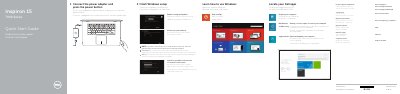

Dell Inspiron 15-7558 Laptop Quick Start Guide - cover page
Brand
DELL
Category
Laptops
Document type
Quick Start Guide
Language
English
Pages
2
File format
PDF
File size
649 KB
Published
25 November, 2023
Updated
25 November, 2023
MD5 checksum
AB6159FB4350EF95232D1179BE76731C

About this manual

This guide helps you set up and use your Dell Inspiron 15-7558 laptop. It covers connecting power, setting up Windows, connecting to networks, and using built-in features like the camera and microphones. The guide also includes shortcuts for volume, brightness, and wireless control.

The laptop has ports for HDMI, USB 3.0 with PowerShare, USB 2.0, and a media card reader. It includes a service tag and regulatory label for identification and compliance.

What's inside

  • Finish Windows Setup
  • Connect to Your Network
  • Sign In to Microsoft Account
  • Locate Dell Apps
  • SupportAssist
  • Register Your Computer
  • Backup and Recovery
  • Features
  • Shortcut Keys
  • Modes

Frequently asked questions

How do you turn on the computer?

Connect the power adapter and press the power button.

What does SupportAssist do?

It checks and updates your computer.

What can Dell Backup and Recovery do?

It can back up, recover, repair, or restore your computer.

What do you need to enter when connecting to a secured wireless network?

You need to enter the password for the wireless network access when prompted.

Download PDF (649 KB)

More DELL Manuals


View all DELL manuals →