
Dell Inspiron 3252 Quick Start Guide

The Dell Inspiron 3252 Quick Start Guide.
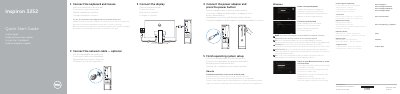

Dell Inspiron 3252 Quick Start Guide - cover page
Brand
DELL
Category
Desktops
Document type
Quick Start Guide
Language
English
Pages
2
File format
PDF
File size
652 KB
Published
24 November, 2023
Updated
24 November, 2023
MD5 checksum
DB7DCAEECF14F7B6A803BA26339BBAF6

About this manual

This guide helps you connect peripherals and complete initial setup for the Dell Inspiron 3252. It includes steps for connecting the keyboard, mouse, network cable, and power adapter. It also covers basic system setup for Windows and Ubuntu, connecting to a network, and signing in to a Microsoft or local account.

The guide provides a diagram of the computer’s ports, including USB, HDMI, VGA, audio, and network ports, along with labels for the service tag, regulatory label, and security cable slot.

What's inside

  • Connect the keyboard and mouse
  • Connect the network cable
  • Connect the power adapter
  • Connect the display
  • Finish operating system setup
  • Enable security and updates
  • Connect to your network
  • Sign in to your Microsoft account or create a local account
  • Features and ports diagram
  • SupportAssist

Frequently asked questions

What operating systems can be used to finish the setup?

The guide provides instructions for finishing setup using Ubuntu, Windows, or Linux.

What should be done if connecting to a secured wireless network?

You must enter the password for the wireless network access when prompted.

How many USB 3.0 ports are on the Inspiron 3252?

The computer has two USB 3.0 ports.

Download PDF (652 KB)

More DELL Manuals


View all DELL manuals →