
The Dell C8621QT is a 27-inch 4K monitor with a narrow bezel design and an IPS panel. It has a resolution of 3840 x 2160, a brightness of 350 nits, and a contrast ratio of 1000:1. The monitor also has 99% sRGB color gamut coverage and 178-degree viewing angles.
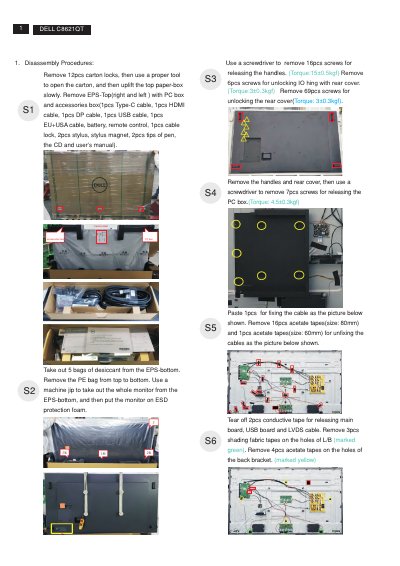
This document provides disassembly procedures for the Dell C8621QT monitor, including screw counts, torque values, and steps to remove the rear cover, PC box, boards, bezels, and panel components.
It also lists required tools such as Phillips screwdrivers, a penknife, and a soldering iron with absorber, and provides WEEE product material information for selective treatment of components like capacitors and PCBs.
| LCD display area | > 100 cm2 |
|---|---|
| Printed circuit board surface | > 10 square cm |
| Electrolyte capacitor size | height > 25mm, diameter > 25mm |
A Phillips head screwdriver #1, Phillips head screwdriver #2, penknife, and soldering iron with absorber are required.
Remove 69 pcs screws for unlocking the rear cover.
No used mercury containing components.