
Dell Inspiron 11-3152 Laptop Quick Start Guide

Inspiron 11-3152 Laptop Quick Start Guide
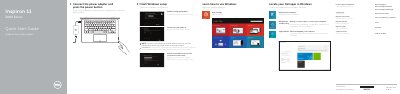

Dell Inspiron 11-3152 Laptop Quick Start Guide - cover page
Brand
DELL
Category
Laptops
Document type
Quick Start Guide
Language
English
Pages
2
File format
PDF
File size
1.2 MB
Published
24 November, 2023
Updated
24 November, 2023
MD5 checksum
D6D21C00EF2EB6A0A7F5B3E4C8C0F8FF

About this manual

This document serves as a Quick Start Guide for the Dell Inspiron 11-3152 laptop. It provides instructions for finishing the Windows setup, connecting power, and registering the computer. It also directs users to Dell's support website for further assistance with drivers and manuals.

What's inside

  • Finish Windows setup
  • Connect the power adapter
  • Sign in to your Microsoft account
  • Dell apps in Windows
  • SupportAssist
  • Register your computer
  • Backup and Recovery
  • Features
  • Shortcut keys
  • Modes

Frequently asked questions

What is the regulatory model for this computer?

The regulatory model for this computer is P20T.

How many volume-control buttons are on the laptop?

There are two volume-control buttons on the laptop.

What are the supported modes for the Inspiron 11-3152?

The supported modes are Notebook, Tablet, Tent, and Stand.

Download PDF (1.2 MB)

More DELL Manuals


View all DELL manuals →