
Dell Latitude 12 5000 Series E5270 Laptop Quick Start Guide

Quick Start Guide for Dell Latitude 12 5000 Series E5270 laptop.
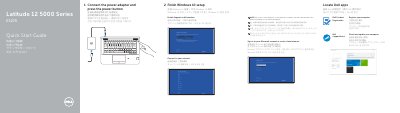

Dell Latitude 12 5000 Series E5270 Laptop Quick Start Guide - cover page
Brand
DELL
Category
Laptops
Document type
Quick Start Guide
Language
Chinese
Pages
2
File format
PDF
File size
590 KB
Published
24 November, 2023
Updated
24 November, 2023
Model
E5270
MD5 checksum
CE9F472186D053493DBC033092B7C201

About this manual

This Quick Start Guide covers the initial setup process for the Dell Latitude E5270 laptop. It instructs users on how to connect the power adapter, locate Dell applications, register the computer, check for updates, and complete the Windows 10 setup. The guide also details how to enable support and protection features and connect to a network. This manual is written in Chinese.

What's inside

  • Connect the power adapter
  • Locate Dell apps
  • Register your computer
  • Check and update your computer
  • Finish Windows 10 setup
  • Enable Support and Protection
  • Connect to your network
  • Sign in to your Microsoft account

Specifications

Rated voltage100 - 240 Volts
Rated frequency50 / 60 Hertz
Rated input current1.7 Amps (65W) / 2.5 Amps (90W)

Frequently asked questions

What should I do if I am connecting to a secured wireless network?

Enter the password for the wireless network access when prompted.

Download PDF (590 KB)

More DELL Manuals


View all DELL manuals →