
Dell Vostro 3660/3669 Quick Start Guide
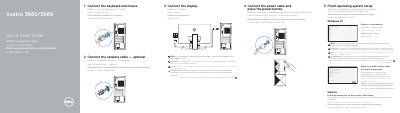
This guide shows how to connect the keyboard and mouse, optional network cable, display, and power cable, then finish operating system setup for Windows 10 or Ubuntu. It also describes locating Dell apps, checking and updating the computer, and lists front and rear features and ports.
The feature list identifies the optical drive, power button, microphone, hard drive activity light, VGA and HDMI ports, USB 2.0 and USB 3.0 ports, network port, expansion card slots, power connector port, power diagnostics light, line-in and line-out connectors, security cable slot, and padlock ring. Product support, manuals, and regulatory information are also provided.
| Optical drive | Available |
|---|---|
| Power button | Available |
| VGA port | Available |
| HDMI port | Available |
| USB 2.0 ports | Available |
| USB 3.0 ports | Available |
| Network port | Available |
| Expansion card slots | Available |
| Power connector port | Available |
| Security cable slot | Available |
Connect the display to the discrete graphics card.
Enter the password for the wireless network access when prompted.
Check and update your computer.