
The Dell™ OptiPlex™ 980 Small Form Factor Maintenance Guide provides information on how to maintain the Dell™ OptiPlex™ 980 Small Form Factor.
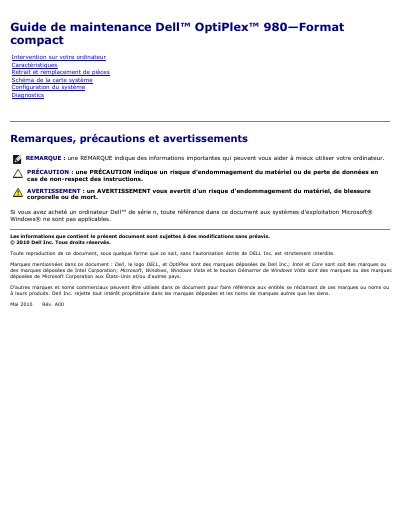
French-language maintenance guide for the Dell OptiPlex 980 small form factor computer. It covers safety precautions before and after working inside the computer, recommended tools, shutdown steps for Windows 7, Vista, and XP, and post-service checks.
Technical characteristics include Intel Core i7, i5, i3, and Pentium processors; DDR3 SDRAM memory up to 16 Go; Intel Q57 Express chipset; integrated Intel graphics and audio; Gigabit Ethernet; and external audio, eSATA, network, parallel, serial, and USB connectors. This manual is written in French.
| Processor types | Quad-core Intel Core i7/i5, dual-core Intel Core i5/i3, and Intel Pentium series |
|---|---|
| Level 2 cache | Up to 8 Mo |
| Memory type | SDRAM DDR3 (non-ECC only) |
| Memory speed | 1066 MHz or 1333 MHz |
| Memory connectors | Four |
| Memory capacities | 1 Go, 2 Go, and 4 Go modules |
| Minimum memory | 1 Go |
| Maximum memory | 16 Go |
| Integrated video | Intel Graphics Media Accelerator HD |
| Shared video memory | Up to 1759 Mo |
| Audio | Integrated Intel high-definition audio |
| Network adapter | Integrated Intel 82578DM Gigabit Ethernet |
| Network speed | 10/100/1000 Mo/s |
| Chipset | Intel Q57 Express |
| DMA channels | Eight |
| Interrupt levels | 24 |
| BIOS (NVRAM) | 64 and 16 Mo |
| Expansion bus types | PCI 2.3, PCI Express 2.0, SATA 1.0A and 2.0, eSATA, USB 2.0 |
| PCI bus speed | 133 Mo/s |
| PCIe x1 speed | 500 Mo/s bidirectional |
| PCIe x16 speed (wired as x4) | 2 Go/s bidirectional |
| PCIe x16 speed | 8 Go/s bidirectional |
| SATA speed | 1.5 Go/s and 3.0 Go/s |
| eSATA speed | 3.0 Go/s |
| USB speed | 480 Mo/s |
| Rear audio connectors | Two line-in/microphone and line-out connectors |
| Front audio connectors | Two headphone and microphone connectors |
| eSATA connector | One 7-pin connector |
| Network connector | One RJ45 connector |
| Parallel connector | One 25-pin bidirectional connector |
| Serial connector | One 9-pin connector, 16550C compatible |
| Front USB connectors (mini-tower) | Four connectors |
Read the safety instructions, work on a flat clean surface, shut down and disconnect the computer and peripherals, press the power button to ground the system board, remove the cover, and ground yourself before touching components.
Click Start, then click Shut down.
The maximum memory is 16 Go.
The integrated video controller is Intel Graphics Media Accelerator HD.