
Dell Latitude 15 5000 Series E5570 Quick Start Guide
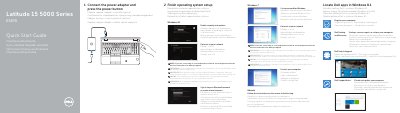
The quick start guide provides initial setup instructions for the Dell Latitude 15 5000 Series E5570 laptop, including connecting the power adapter, pressing the power button, and following on-screen instructions to complete operating system setup for Windows 7, Windows 8.1, or Ubuntu.
The guide also illustrates the laptop's features and connectors, such as network, VGA, HDMI, USB 3.0, Thunderbolt 3, and SD card reader, and provides regulatory information including model numbers P48F and P48F001, along with links to Dell support and manuals.
| Network connector | Present |
|---|---|
| HDMI connector | Present |
| Thunderbolt 3 connector | Optional |
| SD memory-card reader | Present |
Connect the power adapter and press the power button.
The guide directs you to locate Dell apps in Windows 8.1.
Visit Dell.com/support and Dell.com/support/manuals.