
Dell J740 Personal Inkjet Printer User's Guide

This document describes the features and functions of the Dell printer.

Dell J740 Personal Inkjet Printer User's Guide - cover page
Brand
DELL
Category
Printer
Document type
User Manual
Language
English
Pages
21
File format
PDF
File size
309 KB
Published
22 November, 2023
Updated
22 November, 2023
Model
J740
MD5 checksum
ED9DD5A93A2103C5355ECD01511DD421

About this manual

This document is the User's Guide for the Dell J740 Personal Inkjet Printer. It provides instructions on using the printer, including loading paper, connecting via USB, and powering the device. The guide details how to order supplies and replace ink cartridges, specifying part numbers for black and color cartridges.

What's inside

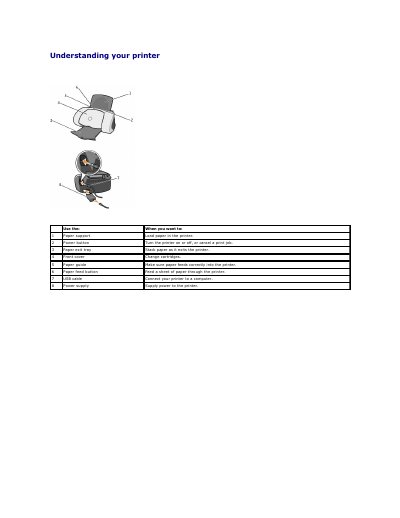
  • Understanding your printer
  • Finding information
  • Maintenance
  • Replacing an ink cartridge
  • Aligning the ink cartridges
  • Cleaning ink cartridge nozzles and contacts
  • Improving print quality

Frequently asked questions

What part numbers correspond to the black and color ink cartridges for the Dell J740?

The black ink cartridge has part number T0601, and the color ink cartridge has part number T0602.

How long must you wait after wiping the ink cartridge contacts before printing?

You must wait five minutes after wiping the contacts and reinserting the cartridges before printing.

How many times can you repeat the step to wipe the ink cartridge nozzles and contacts?

You can repeat the wiping procedure up to two more times if the print quality does not improve.

Download PDF (309 KB)

More DELL Manuals


View all DELL manuals →