
Dell XC740xd Series Hyper-Converged Appliances Getting Started Guide

The Dell EMC XC740xd Series Hyper-Converged Appliances Getting Started Guide provides information on how to set up and use the appliance.
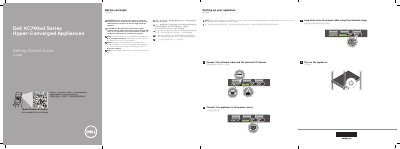

Dell XC740xd Series Hyper-Converged Appliances Getting Started Guide - cover page
Brand
DELL
Category
Servers Computer
Document type
User Manual
Language
English
Pages
2
File format
PDF
File size
729 KB
Published
22 November, 2023
Updated
22 November, 2023
MD5 checksum
C71A3B0188EF303AD9F6F1D65F215F64

About this manual

This Getting Started Guide covers the initial setup of the Dell XC740xd Series Hyper-Converged Appliances. It includes instructions on connecting the network cable and optional I/O devices, connecting the appliance to the power source, and turning on the device. Users are advised to ensure the appliance is securely installed in a rack before powering it on.

What's inside

  • Setting up your appliance
  • Connect the network cable
  • Connect the appliance to the power source
  • Turn on the appliance
  • Technical specifications
  • Power requirements
  • Safety warnings
  • Extended Power Performance (EPP)

Specifications

Maximum ambient temperature40°C/104°F
Battery type3 V CR2032 lithium coin cell
Power rating (2000 W model)2000 W Platinum AC 100–240 V, 50/60 Hz, 11.5 A

Frequently asked questions

What power supply units should be used with the appliance?

Use Extended Power Performance (EPP) compliant power supply units, indicated by the EPP label.

Where can I find the latest documentation updates?

The documentation set is available at Dell.com/XCSeriesmanuals.

Download PDF (729 KB)

More DELL Manuals


View all DELL manuals →