
Dell PowerEdge R740xd2 Getting Started Guide

Dell EMC PowerEdge R740xd2 Getting Started Guide describes the features and characteristics of the product.
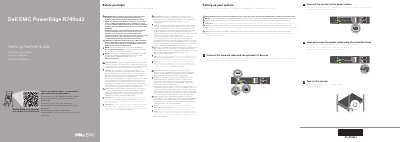

Dell PowerEdge R740xd2 Getting Started Guide - cover page
Brand
DELL
Category
Servers Computer
Document type
User Manual
Language
English
Pages
2
File format
PDF
File size
202 KB
Published
22 November, 2023
Updated
22 November, 2023
MD5 checksum
E3AA19677A1A651291875FCE15A15F5D

About this manual

This document serves as a Getting Started Guide for the Dell PowerEdge R740xd2 server. It outlines critical safety warnings, such as the requirement for restricted access locations and the use of Extended Power Performance (EPP) compliant power supplies. Users are directed to the Safety, Environmental, and Regulatory Information document for detailed safety protocols.

What's inside

  • Safety Instructions
  • Equipment Location
  • Power Supply Requirements
  • Operating System Installation
  • System Setup
  • Rack Installation
  • Network Connection
  • Power Connection

Frequently asked questions

What safety document must be followed before setting up the system?

You must follow the safety instructions included in the Safety, Environmental, and Regulatory Information document shipped with the system.

What type of power supply units are required for the system?

You must use Extended Power Performance (EPP) compliant power supply units indicated by the EPP label.

What must be installed before adding hardware or software not purchased with the system?

The operating system must be installed before installing hardware or software not purchased with the system.

What step must be taken before installing and securing the system into a rack?

You must remove the shipping screws on both sides of the system before installing and securing the system into a rack.

Download PDF (202 KB)

More DELL Manuals


View all DELL manuals →