
Dell OptiPlex 7020 Quick Start Guide

The Dell OptiPlex 7020 Quick Start Guide describes how to connect the keyboard and mouse, network cable, and display.
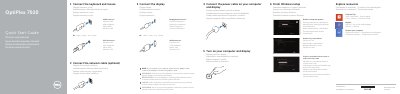

Dell OptiPlex 7020 Quick Start Guide - cover page
Brand
DELL
Category
Desktops
Document type
Quick Start Guide
Language
CS
Pages
2
File format
PDF
File size
308 KB
Published
21 November, 2023
Updated
21 November, 2023
MD5 checksum
A9B70B95E0FAED53792ACE82F4EA106B

About this manual

This document serves as a Quick Start Guide for the Dell OptiPlex 7020 series, covering both the MT (Tower) and SFF (Small Form Factor) models. It provides multilingual instructions for connecting essential peripherals such as keyboards, mice, network cables, and displays via various connectors including USB, PS/2, DisplayPort, and VGA. A specific note advises users who ordered a computer with a discrete graphics card to connect the display to that card instead of the motherboard port. This manual is written in Czech.

What's inside

  • Connect the keyboard and mouse
  • Connect the network cable
  • Connect the display
  • Connect the power cable
  • Turn on your computer
  • Finish Windows setup
  • Features
  • Product support and manuals
  • Regulatory model

Frequently asked questions

What should I connect to the display if I ordered the computer with a discrete graphics card?

You must connect the display to the discrete graphics card.

What are the regulatory model numbers for the OptiPlex 7020 MT and SFF?

The regulatory model for the OptiPlex 7020 MT is D12M and for the OptiPlex 7020 SFF is D13M.

Download PDF (308 KB)

More DELL Manuals


View all DELL manuals →