
Dell Dimension Desktop Setup Instructions

Manual of Dell Dimension desktop.
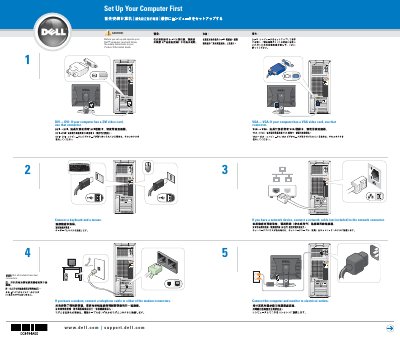

Dell Dimension Desktop Setup Instructions - cover page
Brand
DELL
Category
Desktops
Document type
User Manual
Language
English
Pages
2
File format
PDF
File size
3.1 MB
Published
20 November, 2023
Updated
20 November, 2023
MD5 checksum
4E4CEE1FFB84383DABEFCDAA5088CA2C

About this manual

This document provides initial setup instructions for a Dell Dimension computer. It details how to connect essential peripherals such as a keyboard, mouse, monitor, and network cable, as well as optional devices like modems and sound cards. Users are advised to consult the Product Information Guide for safety instructions before beginning.

What's inside

  • Set Up Your Computer First
  • Connect Keyboard and Mouse
  • Connect Network Device
  • Connect Modem
  • Connect Video Card
  • Set Up Other Devices Last
  • Turn on the Computer
Download PDF (3.1 MB)

More DELL Manuals


View all DELL manuals →