
This document describes how to set up a Dell computer.
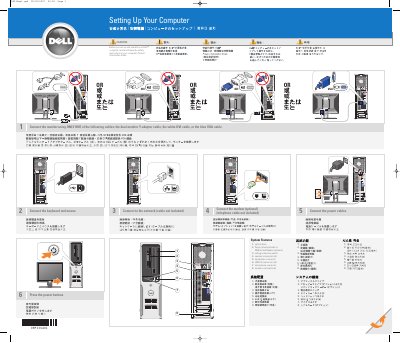
This document provides a step-by-step guide for setting up a Dell computer. It covers connecting essential peripherals such as the keyboard, mouse, monitor, and power cables. It also details optional connections for modems and network cables.
You can connect the monitor using the dual monitor Y-adapter cable, the white DVI cable, or the blue VGA cable.