
The document describes the steps to set up a Dell computer, including connecting the keyboard and mouse, connecting to the network, connecting the modem, and connecting the power cords.
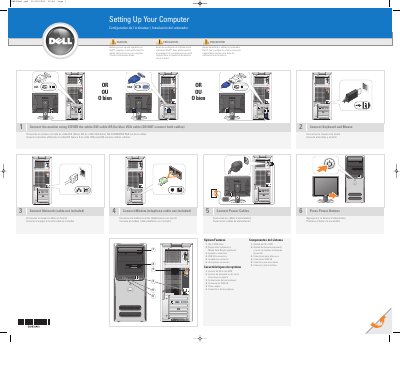
This guide provides step-by-step instructions for setting up a Dell computer. It covers connecting the monitor using either a DVI or VGA cable (but not both), connecting the keyboard and mouse, and attaching power and network cables. It also includes a list of system features such as CD/DVD drives and USB connectors.
| Monitor Connection | White DVI cable OR blue VGA cable |
|---|---|
| USB Version | USB 2.0 |
| Copyright Year | 2006 |
No, you should not connect both cables. Connect the monitor using EITHER the white DVI cable OR the blue VGA cable.
You can find more information in the Owner's Manual, which can be viewed online by clicking the Owner's Manual icon on the desktop.