
The document describes how to set up and operate a Dell computer.
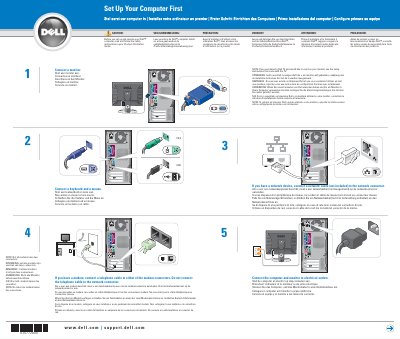
This guide provides initial setup instructions for a Dell Dimension computer, including connecting a monitor, keyboard, mouse, and power outlets. It also covers connecting a modem or network device and using optional sound-card connectors for speakers.
Safety instructions from the Product Information Guide should be read before setup. Additional setup details, such as connecting a printer, are in the Owner's Manual, and support is available at support.dell.com.
| Ports | PS/2 USB |
|---|---|
| Network cable | Not included |
Read and follow the safety instructions in your Product Information Guide.
See your Owner's Manual for additional setup instructions, including how to connect a printer.
No, the network cable is not included.
Support and educational tools are available on the Dell Support website at support.dell.com.