
The Dell Latitude 11 Keyboard is a versatile docking station that turns your tablet into a powerful laptop. It features a full-size keyboard, a touchpad, and a USB 3.0 port. You can also use it to connect external displays, printers, and other devices.
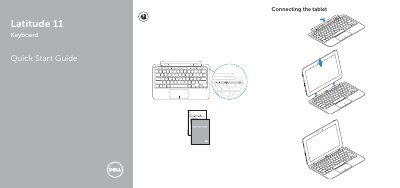
This document serves as a quick start guide for the Dell Latitude 11 Keyboard (model K12M). It provides instructions on connecting the tablet, charging the keyboard, and disconnecting it from the device. The guide also explains how to use the included Dell mini Active Pen. This manual is written in Chinese.
| Regulatory Model | K12M |
|---|---|
| Regulatory Type | K12M001 |
| Rated Voltage | 100-240 Volts AC |
| Rated Frequency | 50/60 Hz |
| Rated Input Current | 0.9 Amps (30W) |
The rated input current is 0.9 amperes.
The rated voltage is 100-240 volts.
The rated frequency is 50/60 hertz.