
Dell Precision 5520 Quick Start Guide

The Dell Precision 5520 Quick Start Guide provides information on how to use the Dell Precision 5520 laptop.
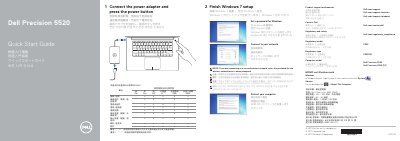

Dell Precision 5520 Quick Start Guide - cover page
Brand
DELL
Category
Laptops
Document type
Quick Start Guide
Language
English
Pages
2
File format
PDF
File size
315 KB
Published
20 November, 2023
Updated
20 November, 2023
MD5 checksum
5A07962FDDD909D53DAAF05F54ADF5A5

About this manual

This document serves as a multilingual quick start guide for the Dell Precision 5520 laptop. It provides essential instructions for initial setup, including connecting the power adapter, pressing the power button, and completing the Windows 7 setup process. Users are also guided on setting a password and connecting to a network, with specific notes for secured wireless networks.

What's inside

  • Connect the power adapter
  • Finish Windows 7 setup
  • Connect to your network
  • Protect your computer
  • Product support and manuals
  • Features
  • Regulatory and safety

Frequently asked questions

How do I start setting up the Dell Precision 5520?

Connect the power adapter and press the power button.

How do I connect to a secured wireless network during setup?

Enter the password for the wireless network access when prompted.

Which ports on the Dell Precision 5520 include PowerShare?

The two USB 3.0 ports with PowerShare.

How do I check system information in Windows?

In Windows Search, type System, then click System in the search results.

Download PDF (315 KB)

More DELL Manuals


View all DELL manuals →