
Dell Latitude 13 7000 Series Computer Quick Start Guide

Latitude 13 7000 Series Quick Start Guide
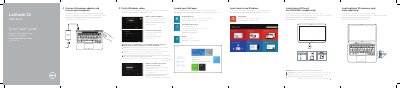

Dell Latitude 13 7000 Series Computer Quick Start Guide - cover page
Brand
DELL
Category
Laptops
Document type
Quick Start Guide
Language
MUL
Pages
2
File format
PDF
File size
1.9 MB
Published
20 November, 2023
Updated
20 November, 2023
MD5 checksum
A33BAEEDCBB79C413394504A19E9E163

About this manual

This quick start guide covers initial setup for the Dell Latitude 13 7000 Series, including connecting power, completing Windows setup, inserting optional SD and micro-SIM cards, locating Dell apps, registering the device, and connecting to a network.

It also identifies the computer's ports and controls, shows the undocked base view, and provides links for product support, manuals, contact information, and regulatory details.

What's inside

  • Connect the power adapter and turn on your computer
  • Finish Windows setup
  • Insert optional SD memory card
  • Insert micro-SIM card
  • Locate your Dell apps
  • Register My Device
  • Dell Backup and Recovery
  • Features
  • Product support and manuals
  • Regulatory and safety

Specifications

Computer modelLatitude 7350
Regulatory modelP58G
Regulatory typeP58G001

Frequently asked questions

How do I access the SIM card slot?

Undock the computer to access the SIM card slot.

Where can I find product support and manuals?

Visit dell.com/support and dell.com/support/manuals.

How do I contact Dell?

Use dell.com/contactdell.

Download PDF (1.9 MB)

More DELL Manuals


View all DELL manuals →