
Dell Latitude 15-3588 Series Quick Start Guide

The Dell Latitude 15 3588 Series Quick Start Guide introduces the features and functions of this series of laptops.
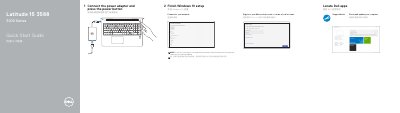

Dell Latitude 15-3588 Series Quick Start Guide - cover page
Brand
DELL
Category
Laptops
Document type
Quick Start Guide
Language
English
Pages
2
File format
PDF
File size
515 KB
Published
20 November, 2023
Updated
20 November, 2023
MD5 checksum
A57B24C946B1E089DF6EAD72C6059043

About this manual

This document serves as a Quick Start Guide for the Dell Latitude 15-3588 Series. It outlines the initial steps required to set up the computer, such as connecting the power adapter, pressing the power button, and completing the Windows 10 setup process. It also provides instructions for connecting to a network and signing into a Microsoft account.

What's inside

  • Locate Dell apps
  • Connect the power adapter
  • Finish Windows 10 setup
  • Connect to your network
  • Features
  • Product support and manuals
  • Contact Dell
  • Regulatory and safety

Frequently asked questions

How do I turn on the computer for the first time?

Connect the power adapter and press the power button.

What should I do when connecting to a secured wireless network?

Enter the password for the wireless network access when prompted.

Is the SIM-card slot included on every unit?

No, the SIM-card slot is optional.

Does this model include a USB 3.0 port with PowerShare?

Yes, a USB 3.0 port with PowerShare is listed among the features.

Download PDF (515 KB)

More DELL Manuals


View all DELL manuals →