
The Dell Wyse Cloud Client Wyse 3010 Quick Start Guide provides instructions on how to set up and use the Dell Wyse Cloud Client Wyse 3010.
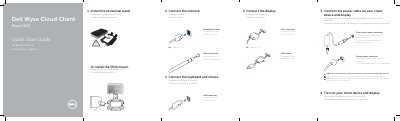
This guide provides step-by-step instructions for setting up the Dell Wyse 3010 Cloud Client. It covers connecting the keyboard, mouse, and display via USB or DVI/VGA adapters, as well as connecting the network cable or wireless antenna. Users can also choose between installing the horizontal stand or a VESA mount.
| Network port speed | 10/100/1000 Base-T |
|---|---|
| Power input | +12V DC |
| USB ports | 2 x USB 2.0 |
| Video output | 1x DVI-D/1x VGA |
The client device is ready to use when the client device activity light goes off.
Yes, but it is available only on some 3010 devices.