
The Dell Inspiron 15R-5537 series notebook features a 15.6-inch HD display, an Intel Core i5 processor, 4GB of memory, a 500GB hard drive, a DVD drive, and integrated graphics.
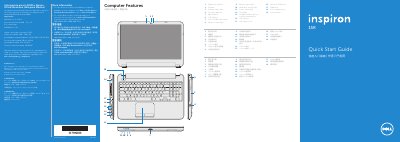
This guide introduces the Dell Inspiron 15R-5537 notebook and identifies its external features, ports, lights, and controls. It also provides illustrated setup steps such as connecting the network cable and power adapter, pressing the power button, and completing Windows setup.
Additional sections cover function keys, wireless status, and where to record the service tag and regulatory labels. The guide includes English, Chinese, and Spanish text and lists regulatory model P28F with type P28F003.
| Regulatory model | P28F |
|---|---|
| Type | P28F003 |
| Computer model | Inspiron 5537 |
| USB 3.0 ports | 2 |
| Media-card reader | 8-in-1 |
| Input voltage | 100 – 240 V CA |
| Output voltage | 19,50 VCC |
Click Start, then All Programs, then Dell Help Documentation, or go to dell.com/support.
Do not use the @ symbol in your password.
Use the function keys, which include an option to turn off/on wireless.
The guide provides a place to record your service tag near the service tag/regulatory labels section.