
Dell Vostro 15 3000 Series Laptop Quick Start Guide

Dell Vostro 15 3000 Series Laptop Quick Start Guide
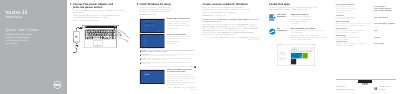

Dell Vostro 15 3000 Series Laptop Quick Start Guide - cover page
Brand
DELL
Category
Laptops
Document type
Quick Start Guide
Language
English
Pages
2
File format
PDF
File size
517 KB
Published
20 November, 2023
Updated
20 November, 2023
MD5 checksum
7B10D8A7C5634039D7C2A4CA362C41EF

About this manual

This quick start guide helps set up the Dell Vostro 15 3000 Series laptop, including connecting power, completing Windows 10 setup, enabling support and protection, connecting to a network, creating recovery media, and locating Dell apps.

It also identifies laptop features and shortcut keys, and points to product registration, Dell SupportAssist, support, manuals, and regulatory information.

What's inside

  • Connect the power adapter and press the power button
  • Finish Windows 10 setup
  • Enable Support and Protection
  • Connect to your network
  • Create recovery media for Windows
  • Locate Dell apps
  • Features
  • Shortcut keys
  • Product support and manuals
  • Regulatory and safety

Frequently asked questions

How do I create recovery media for Windows?

In Windows search, type Recovery, click Create a recovery drive, and follow the instructions on the screen.

Where can I find more information about this laptop?

See the Owner’s Manual at Dell.com/support/manuals.

Download PDF (517 KB)

More DELL Manuals


View all DELL manuals →