
This document is a quick start guide for Dell computers, which introduces how to set up and use a Dell computer.
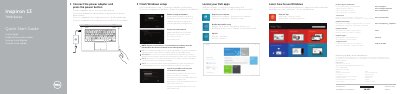
This quick start guide provides initial setup instructions for the Dell Inspiron 13-7348 laptop, including connecting the power adapter, completing Windows setup, registering the device, and accessing Dell support resources.
The guide also illustrates the laptop's features and ports, lists shortcut keys for common functions, and describes the four usage modes: Notebook, Tablet, Tent, and Tablet Stand.
| Regulatory model | P57G |
|---|---|
| Regulatory type | P57G001 |
| Computer model | Inspiron 13-7348 |
| Input voltage | 100-240 V AC |
| Frequency | 50-60 Hz |
| Input current | 1.60/1.70 A |
| Output voltage | 19.50 V DC |
| Output current | 3.34 A |
| Country of origin | China |
The regulatory model is P57G.
The power adapter accepts 100-240 V AC.
The device supports Notebook, Tablet, Tent, and Tablet Stand modes.