
Dell Latitude 13 3379 2-in-1 Quick Start Guide

The Dell Latitude 13 Quick Start Guide provides information on how to use the Dell Latitude 13 laptop.
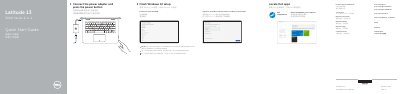

Dell Latitude 13 3379 2-in-1 Quick Start Guide - cover page
Brand
DELL
Category
Laptops
Document type
Quick Start Guide
Language
English
Pages
2
File format
PDF
File size
580 KB
Published
19 November, 2023
Updated
19 November, 2023
MD5 checksum
39887916394BC07A068E032234494996

About this manual

The Dell Latitude 13 3379 2-in-1 Quick Start Guide helps users set up the Dell Latitude 3379 computer by connecting the power adapter, pressing the power button, and locating Dell apps such as SupportAssist.

It also covers finishing Windows 10 setup, connecting to a network, signing in to a Microsoft account or creating a local account, and accessing product support, manuals, and regulatory information.

What's inside

  • Connect the power adapter and press the power button
  • Locate Dell apps
  • Finish Windows 10 setup
  • Connect to your network
  • Sign in to your Microsoft account or create a local account
  • Product support and manuals
  • Contact Dell
  • Regulatory and safety
  • Features
  • Modes

Specifications

Series3000 Series 2-in-1
Computer modelLatitude 3379
Regulatory modelP69G

Frequently asked questions

How do I start the computer?

Connect the power adapter and press the power button.

What is the computer model?

The computer model is Latitude 3379.

Where can I find product support and manuals?

Go to Dell.com/support and Dell.com/support/manuals.

Download PDF (580 KB)

More DELL Manuals


View all DELL manuals →