
Dell Inspiron 14 5000 Series Laptop Quick Start Guide.
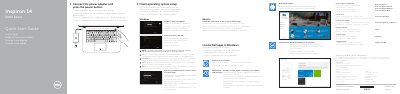
This quick start guide is for the Dell Inspiron 14 5000 Series laptop, computer model Inspiron 14-5459. It outlines initial setup steps such as connecting the power adapter, completing operating system setup, connecting to a network, and signing in to a Microsoft account.
It also describes Dell Help & Support, SupportAssist, computer registration, backup and recovery, product support resources, regulatory and safety information, laptop features, and keyboard shortcut keys.
| Regulatory model | P64G |
|---|---|
| Regulatory type | P64G004 |
| Computer model | Inspiron 14-5459 |
| Input voltage | 100 V AC–240 V AC |
| Input current | 1,30 A/1,60 A/1,70 A |
| Output voltage | 19,50 V DC |
| Output current | 2,31 A/3,34 A |
| Country of origin | Made in China |
Follow the instructions on the screen to finish setup.
Enter the password for the wireless network access when prompted.
It checks and updates your computer.