
The Dell™ OptiPlex™ 980 Small Form Factor Service Manual provides information on how to use and maintain your Dell™ OptiPlex™ 980 Small Form Factor.
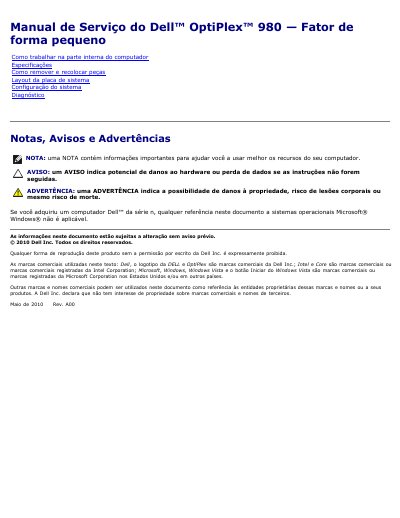
This is a Portuguese-language service manual for the Dell OptiPlex 980 small form factor desktop computer. It includes safety precautions, recommended tools, shutdown steps, and detailed technical specifications.
The table of contents also lists sections on removing and reinstalling parts, system board layout, system setup, and diagnostics. It notes that most repairs should be performed by certified technicians. This manual is written in Portuguese.
| Processor types | Quad-Core Intel Core i7; Intel Core i5; Dual-Core Intel Core i5; Intel Core i3; Intel Pentium |
|---|---|
| Processor L2 cache | Intel Core i7/i5: 8 MB; Intel Core i5/i3: 4 MB; Intel Pentium: 3 MB |
| Memory type | DDR3 SDRAM (non-ECC only) |
| Memory speed | 1066 MHz or 1333 MHz |
| Memory connectors | Four |
| Memory module capacities | 1 GB, 2 GB, or 4 GB |
| Minimum memory | 1 GB |
| Maximum memory | 16 GB |
| Integrated video | Intel graphics media accelerator HD |
| Shared video memory | Up to 1759 MB (system memory above 512 MB) |
| Audio | Integrated Intel High Definition Audio |
| Chipset | Intel Q57 Express |
| DMA channels | Eight |
| Interrupt levels | 24 |
| BIOS chips (NVRAM) | 64 Mb and 16 Mb |
| Expansion bus types | PCI 2.3, PCI Express 2.0, SATA 1.0A and 2.0, eSATA, USB 2.0 |
| PCI bus speed | 133 MB/s |
| PCI Express x1 bidirectional speed | 500 MB/s (wireless only) |
| PCI Express x16 (wired for x4) bidirectional speed | 2 GB/s |
| PCI Express x16 bidirectional speed | 8 GB/s |
| SATA speed | 1.5 GB/s and 3.0 GB/s |
| eSATA speed | 3.0 GB/s |
| USB speed | 480 MB/s |
| Small form factor 5.25-inch drive bay | One slim compartment |
| Small form factor hard drive support | Up to two 2.5-inch hard drives with brackets |
| Rear audio connectors | Two connectors for line-in/microphone and line-out |
| eSATA connector | One 7-pin connector |
| Network connector | One RJ45 connector |
| Parallel connector | One 25-pin (bidirectional) connector |
| Serial connector | One 9-pin connector; 16550C compatible |
| Front USB connectors (small form factor) | Two |
| Rear USB connectors (small form factor) | Six |
| Video connectors | One 15-hole VGA connector and one 20-pin DisplayPort connector |
| System board PCI 2.3 connector (small form factor) | One 120-pin connector |
| System board PCI Express x16 connector (small form factor) | One 164-pin connector |
| System board SATA connectors (small form factor) | Three 7-pin connectors |
| Memory connectors | Four 240-pin connectors |
| Processor connector | 1156-pin connector |
| Power connectors | One 24-pin connector and one 4-pin 12 V connector |
A small flathead screwdriver, a Phillips screwdriver, a small plastic scribe, and Flash BIOS update program media.
The system supports up to 16 GB of DDR3 SDRAM.
It has two USB connectors on the front panel.
The processor connector has 1156 pins.