
The Dell Dimension™ 3000 is a powerful computer with the following features:
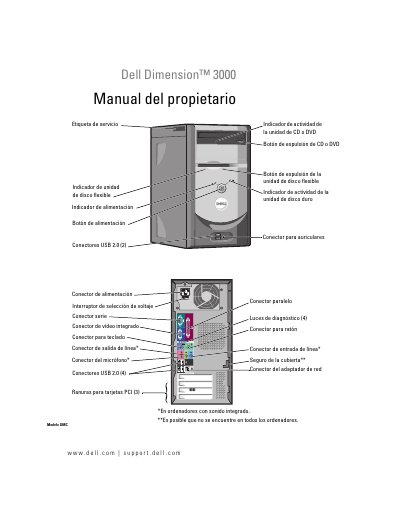
This Spanish-language user manual covers the Dell Dimension 3000 desktop computer (model DMC), published by Dell Inc. in September 2005. It explains how to set up and use the computer, connect peripherals, and obtain help from Dell support resources.
The manual includes printer setup, home and office network installation, Internet connection, CD/DVD copying, troubleshooting for hardware and software, Dell Diagnostics, driver management, system restore, and instructions for removing and installing components such as memory, cards, drives, and the battery. This manual is written in Spanish.
Connect the USB printer cable to the USB connectors on the computer and the printer. The connectors support only one mating position.
Connect the parallel printer cable to the computer's parallel connector and tighten the two screws.
Warranty information is listed in the Dell product information guide and on the Dell Support website.