
Dell OptiPlex 380 Desktop Service Manual

The Dell™ OptiPlex™ 380 Desktop Service Manual provides instructions on how to use and maintain the Dell™ OptiPlex™ 380 Desktop.
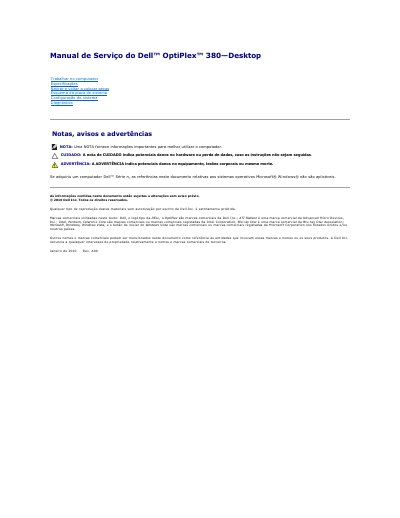

Dell OptiPlex 380 Desktop Service Manual - cover page
Brand
DELL
Category
Desktops
Document type
Service Manual
Language
Portuguese
Pages
55
File format
PDF
File size
5.6 MB
Published
17 November, 2023
Updated
17 November, 2023
MD5 checksum
4A50D226B3A8CB0C517EBFD2F31B14CD

About this manual

This is the Portuguese-language service manual for the Dell OptiPlex 380 desktop computer. It contains safety notices, copyright information from Dell Inc., and a table of contents covering work on the computer, specifications, removing and replacing parts, the system board diagram, system configuration, and diagnostics.

The extracted pages describe the boot menu, navigation key combinations, and System Setup menu options, including General, Motherboard, Date/Time, Boot Sequence, Diskette Drive, SATA Operation, S.M.A.R.T. Reporting, Drives, Integrated NIC, USB for Flex Bay, USB Controller, and Serial Port settings. This manual is written in Portuguese.

What's inside

  • Trabalhar no computador
  • Especificações
  • Retirar e voltar a colocar peças
  • Esquema da placa de sistema
  • Configuração do sistema
  • Diagnóstico
  • Menu de arranque
  • Combinações de teclas de navegação
  • Opções de menu da Configuração do Sistema
  • Aceder à configuração do sistema

Frequently asked questions

How do I open the one-time boot menu?

Press when the Dell logo appears to start a one-time boot menu with a list of valid boot devices.

How do I enter System Setup?

Press to enter System Setup and change user settings.

What does S.M.A.R.T. Reporting control?

It controls hard drive error reporting to embedded devices during system startup.

Is RAID mode compatible with ImageServer?

No, RAID mode is not compatible with ImageServer; disable RAID if you enable Image Server.

Download PDF (5.6 MB)

More DELL Manuals


View all DELL manuals →