
This is a user manual for an infrared thermal imager. It describes the safety, structure, display, power, menu and operating instructions of the thermal imager.
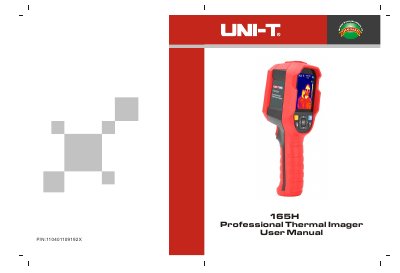
The Uni-Trend UTi165H Infrared Thermal Imager is a handheld device designed for measuring surface temperatures. It features a 2.8-inch display with a resolution of 320x240 pixels and supports various color palettes including Iron Red, Rainbow, White Hot, Red Hot, and Ice Blue. The device allows users to track center point or high temperatures and includes options for high/low temperature alarms.
| Display Size | 2.8" |
|---|---|
| Display Resolution | 320 (vertical) x 240 (horizontal) pixels |
| Operating Environment Temperature | 15°C~30°C |
| Operating Environment Humidity | <85% RH (non-condensing) |
| Optimal Measuring Distance | 1 meter |
Press the power button for 3 seconds to power on, and press the power button for 1 second to power off.
The available color palettes are Iron Red, Rainbow, White Hot, Red Hot, and Ice Blue.
You should leave the product in the new environment for 10 to 15 minutes before measuring.