
Key facts
- Manuals
- 2
- Languages
- EN · ZH
- Last added
- 2026-10-03
Featured Uni-Trend manuals

Uni‑Trend UTi165A Thermal Imager User Manual
This manual introduces the UTi165A professional thermal imager, covering safety precautions, device structure, display features, power control and menu navigation. Detailed operating instructions guide users through temperature unit selection, cursor tracking, color palette, emissivity adjustment and alarm settings.
The guide also explains USB communication with PC software, lists full technical specifications, and provides maintenance tips and an appendix of common material emissivity values.
Covers: Safety Instructions · Structure · Display · Power On/Off · Menu Introduction · Operating Instructions
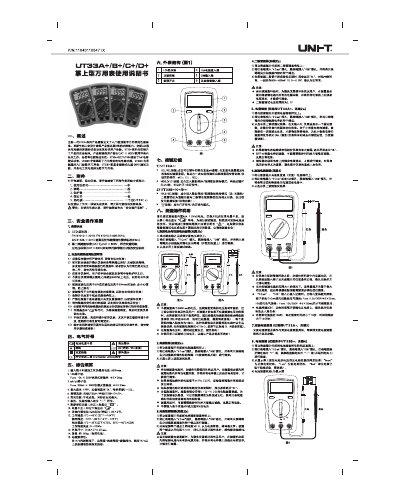
Uni‑Trend UT33+ Handheld Multimeter User Manual
The UT33+ series is a handheld digital multimeter designed for entry‑level use with a rugged 2 m drop‑resistance and CAT II 600 V safety rating. The manual provides safety guidelines, accessory lists, electrical symbols, and detailed operating instructions for voltage, resistance, current, diode, capacitance, temperature and non‑contact voltage measurements.
It also includes technical specifications, battery replacement procedures, fuse replacement information, and maintenance recommendations. The document is written in Chinese and intended for users and service technicians in the Chinese market.
Covers: Accessories · Safety Precautions · Electrical Symbols · Technical Specifications · Operation Instructions · Battery Measurement
Latest Uni-Trend manuals
Uni‑Trend UTi165A Thermal Imager User Manual
User Manual 11 pages · 5 MB · ENThe Uni‑Trend UTi165A thermal imager user manual provides safety instructions, operation steps, settings, USB communication, specifications and maintenance…
Uni‑Trend UT33+ Handheld Multimeter User Manual
User Manual 2 pages · 4.4 MB · ZHUser manual for the Uni‑Trend UT33+ handheld multimeter covering safety, operation, specifications and maintenance.
Which document do I need?
User Manual
Day-to-day operation, settings and troubleshooting. Start here if the product is already set up.
Questions answered in Uni-Trend manuals
What does the low‑battery indicator look like on the LCD?
When the battery is low the LCD shows a “2” symbol in the lower‑left corner.