
BIOTRAK® Real-Time Viable Particle Counter Models 9510-BD & 9510-BD-P Quick Start Guide

BIOTRAK® Real-Time Viable Particle Counter Models 9510-BD & 9510-BD-P Quick Start Guide.
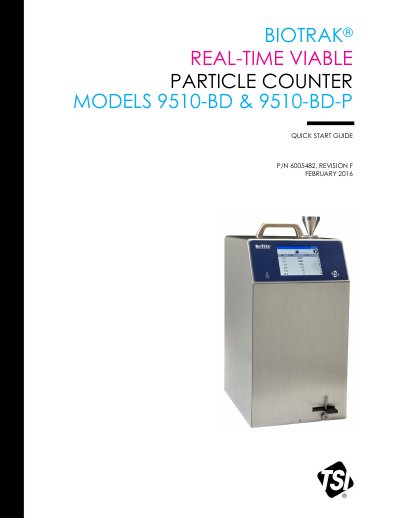

BIOTRAK® Real-Time Viable Particle Counter Models 9510-BD & 9510-BD-P Quick Start Guide - cover page
Brand
TSI
Category
Analyzer
Document type
Quick Start Guide
Language
English
Pages
8
File format
PDF
File size
827 KB
Published
16 November, 2023
Updated
16 November, 2023
MD5 checksum
D35ED6A70C28935B57425ABD38E1B42B

About this manual

This quick start guide helps users begin using the TSI BioTrak 9510-BD real-time viable particle counter. It covers safety labels, laser safety, unpacking, power connection, and basic operation.

The guide explains the touch-screen interface, collecting samples, and configuring zones, locations, and recipes. Detailed operation information is in the Operation Manual.

What's inside

  • Safety
  • Labels
  • Laser Safety
  • Unpacking
  • Running the Particle Counter
  • Collecting Samples
  • Using the Onscreen Keyboard
  • Zones, Locations, and Recipes
  • Device Setup

Specifications

Power supply24 VDC, 6.24 A
Sample tubing3 m
Laser classClass 1

Frequently asked questions

How do I power on the instrument?

It turns on automatically when the AC power supply is plugged in; after that, use the power switch to turn it off and on.

What happens if the particle collection filter holder is not installed?

A flow error will result if the filter holder is not installed and latched.

How is a sample started?

Sample collection is initiated from the Main screen.

Where are date and time set?

Select Setup, Device Setup, then Date and Time.

Download PDF (827 KB)

More TSI Manuals


View all TSI manuals →