
NU17 is a lightweight outdoor headlamp that utilizes a CREE XP-G2 S3 LED with a maximum output of 130 lumens. It is also equipped with auxiliary high CRI white LEDs (CRI≥90, Color Temperature: 4500K) and auxiliary red LEDs. The primary white light utilizes a total reflective optic lens for a uniform and soft beam. The maximum peak beam intensity is 460cd and the maximum throw is 43 meters. A built-in 580mAh Li-ion battery. High-efficiency constant circuit provides a stable output for a maximum runtime of 150 hours. 3 brightness levels, 3 light sources and 2 special modes are available. Built-in Li-ion battery charging circuit via a Micro-USB port. The built-in power indicator indicates the remaining battery power (Patent No. ZL201220057767.4). Wide range flood optic system of 180° illumination angle specially designed for outdoor applications. 60° adjustable angle. Body constructed from durable PC materials. Waterproof in accordance with IP66. Impact resistant to 1 meter.
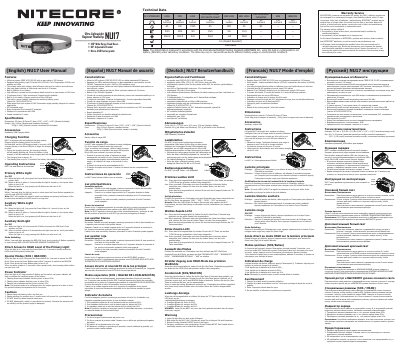
The Nitecore NU17 user manual covers a rechargeable headlamp with primary white, auxiliary white, and auxiliary red LEDs. It explains charging, operating modes, brightness levels, special modes, power indicator behavior, and cautions.
The document includes English, Spanish, and German text, along with specifications, dimensions, weight, accessories, and an FL1 standard output table.
| Primary LED | CREE XP-G2 S3, max 130 lumens |
|---|---|
| Auxiliary LEDs | High CRI white (CRI>90, 4500 K) and red LEDs |
| Peak beam intensity | 460 cd |
| Max throw | 43 m |
| Battery | Built-in 580 mAh Li-ion |
| Max runtime | 150 hours |
| Charging port | Micro-USB |
| Dimensions | 53.2 x 30.2 x 27.4 mm (bracket included) |
| Weight | 45 g with bracket and headband |
| Waterproof rating | IP66 |
| Impact resistance | 1 m |
| Charging time | Approximately 2 hours |
| Standby time | Up to 12 months when fully charged |
| Accessories | Headband and USB charging cable |
When the light is off, short press the Power Button to access the LOW level of the primary white light.
Use the USB charging cable to connect a USB charging device to the Micro-USB port; the charging indicator glows red during charging and turns green when the battery is fully charged.
With the light off, long press the R Button; three flashes indicate power above 50%, two flashes indicate power below 50%, and one flash indicates power below 10%.
Charge the battery before the first use.