
RS998 dual-lens electronic rearview mirror, with a 9.66-inch touch screen, supports GPS navigation, and has functions such as taking pictures, recording videos, video/photo playback, and menu settings.
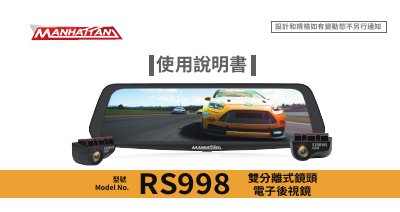
The RS998 is a dual separated-lens electronic rearview mirror. Its main unit has a 9.66-inch touch screen and is strapped over the vehicle's existing rearview mirror; a front camera mounts inside the front windshield, while the rear camera can be fitted above the license plate or inside the rear windshield. Package contents include the main unit, front and rear lenses, car charger, rear connecting cable, 3M adhesive, rear lens bracket and an optional GPS module.
The manual covers safety warnings, installation of the main unit and cameras, rear camera wiring and reverse-light connection, power on and off, screen icons, photo, video and playback functions, menu settings, product specifications, storage advice and troubleshooting. A restricted-substances table lists the type designations RS998, RS998P and RS998E; the document version is V20191016. This manual is written in Chinese.
| Screen | 9.66-inch touch screen |
|---|---|
| Rear camera connector | 4-pin connector |
Check that the main unit is receiving power, then press into the Reset hole to restart the main unit.
In recording mode the screen display may have been turned off; press the screen display key to enable it again.
Playback fails if file or folder names were changed on a computer, if the files were processed on a computer or were not recorded by this device, or if the memory card is damaged.
Connect the red wire of the connecting cable to the reverse light wire and plug the rear camera's 4-pin connector into the cable socket; the reverse image then switches automatically.